TABLE OF CONTENTS
- 1. Individual Speaker Local Recording ⚡
- 2. Speaker Titles ⚡
- 3. Web Embeds
- 4. Event Series Email Settings
- 5. Check-in via Mobile Browser
- 6. Reset Check-in ⚡
- 7. Airmeet + Airshots AI ✨
Overview
We’re making Airmeet even more powerful for your events. This release brings new ways to capture high-quality content, customize your event experience, simplify attendee management, and extend the value of every event including turning your recordings into ready-to-share content with Airshots AI.
1. Individual Speaker Local Recording ⚡
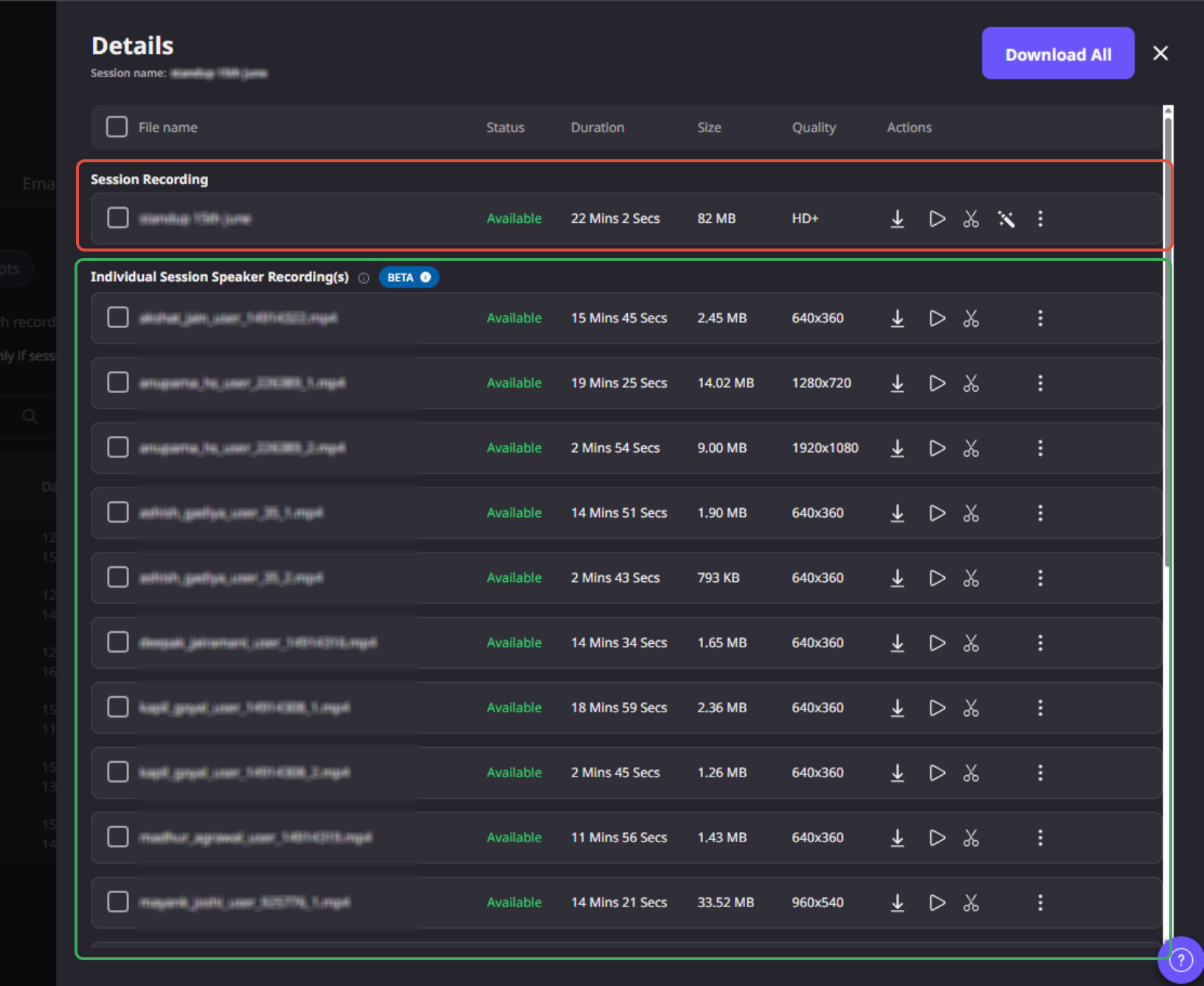
Capture high-quality recordings directly from your browser
Record session Speaker & host locally in high resolution for improved video quality. Recordings are automatically uploaded after the session and made available for organizers to access and download.
Read more: Individual Speaker Local Recording | Airmeet
2. Speaker Titles ⚡
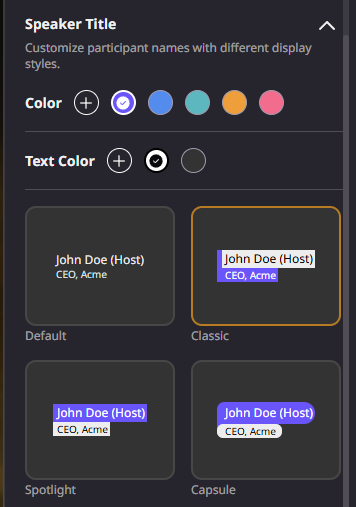
Customize how speaker names appear on stage
Personalize speaker name titles and video headline tags with multiple display styles, background colors, and font colors. Apply the same styling across all sessions for a consistent event experience.
Read more: How to customize Speaker tiles in an Airmeet session
3. Web Embeds
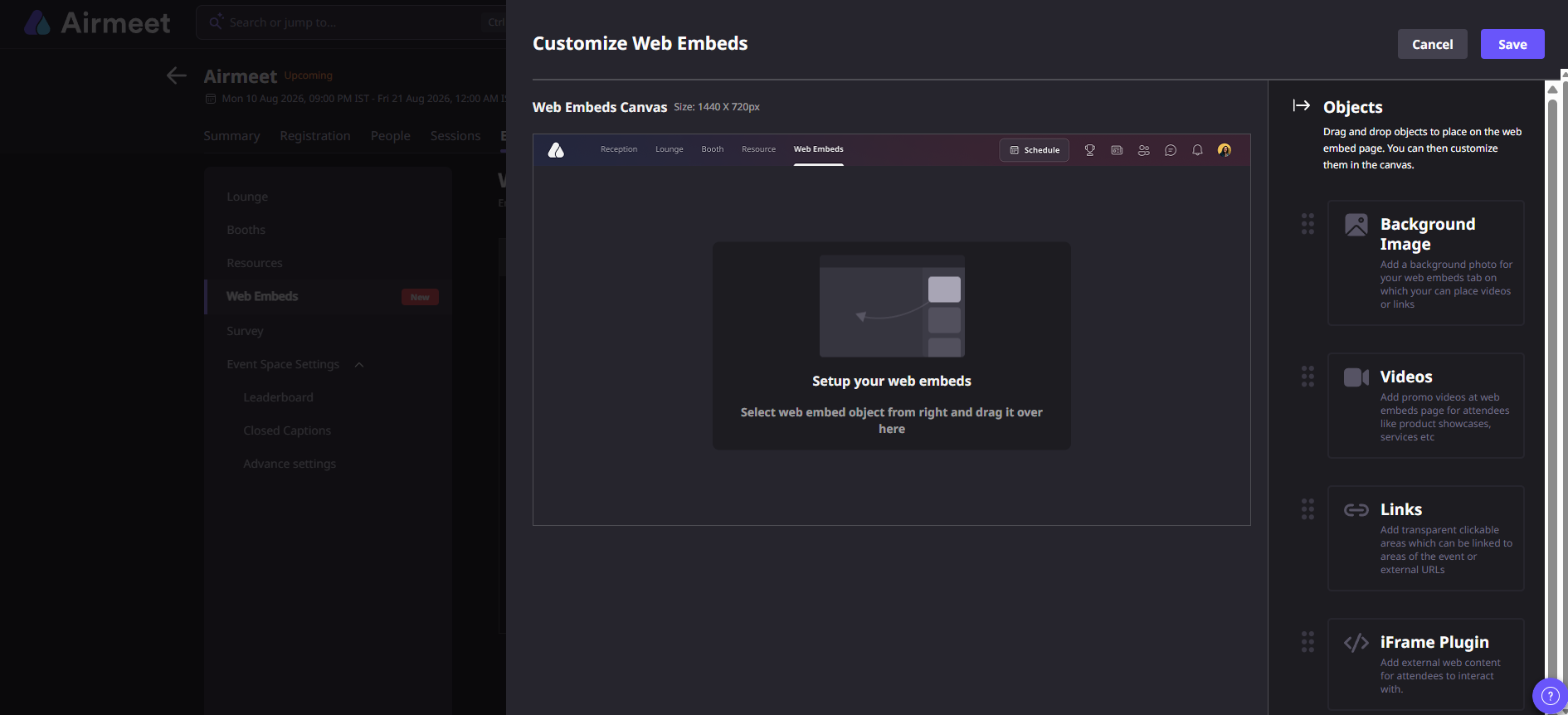
Bring external web experiences directly into your event
Embed external experiences such as AI photo booths, chatbots, interactive tools, videos, and other web content using iFrames giving attendees more ways to engage without leaving the event.
Read more: How to set up Web Embeds in an Airmeet event?
4. Event Series Email Settings
Choose when attendees receive event series emails
Organizers can control email delivery for event series—send each event email 7 days before the event or send all event emails together, depending on their communication strategy.
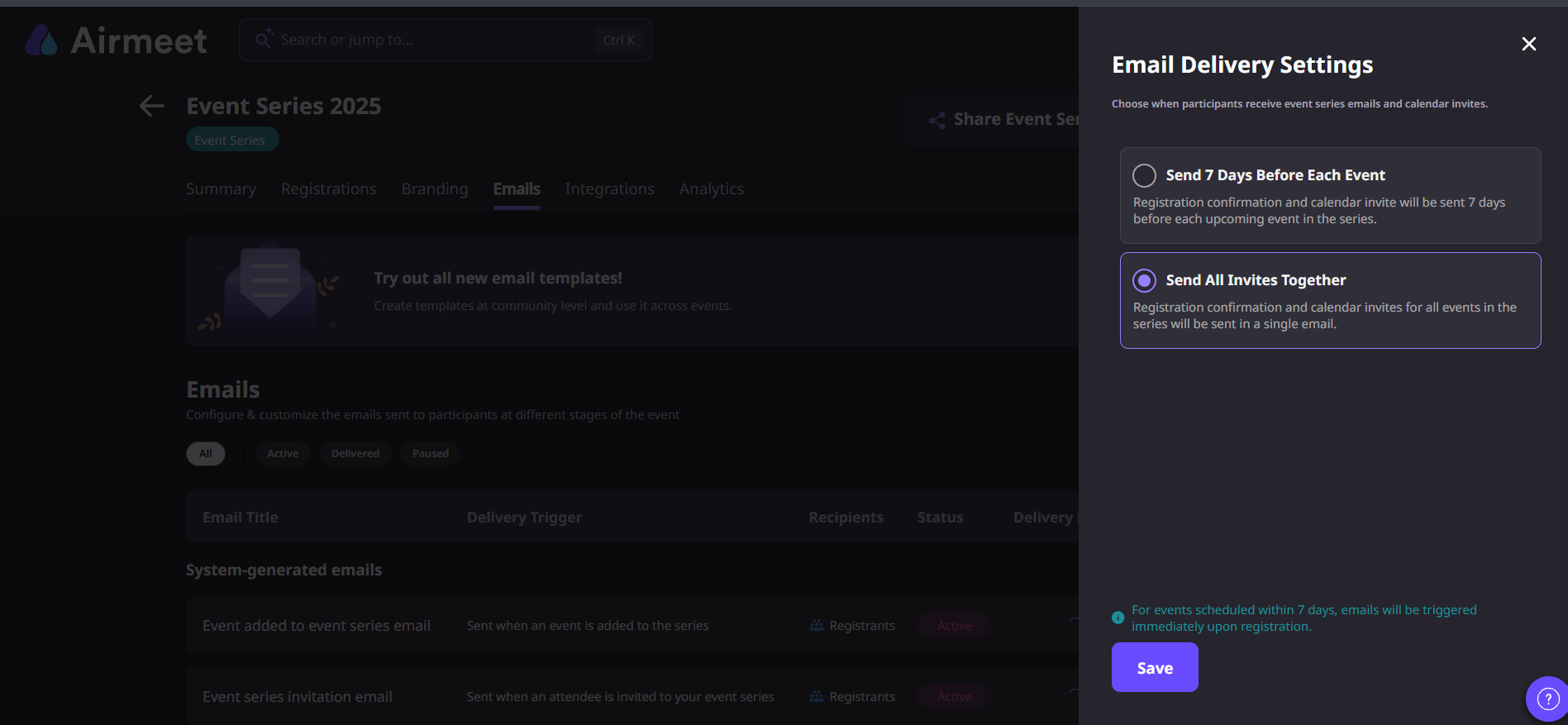
Steps : Event series dashboard > Email tab > Settings >Choose when participants receive event series emails and calendar invites.
5. Check-in via Mobile Browser
Check in attendees directly from your mobile browser
Organizers can check in attendees using a mobile browser, making on-site attendee management faster and more convenient without requiring a desktop setup.
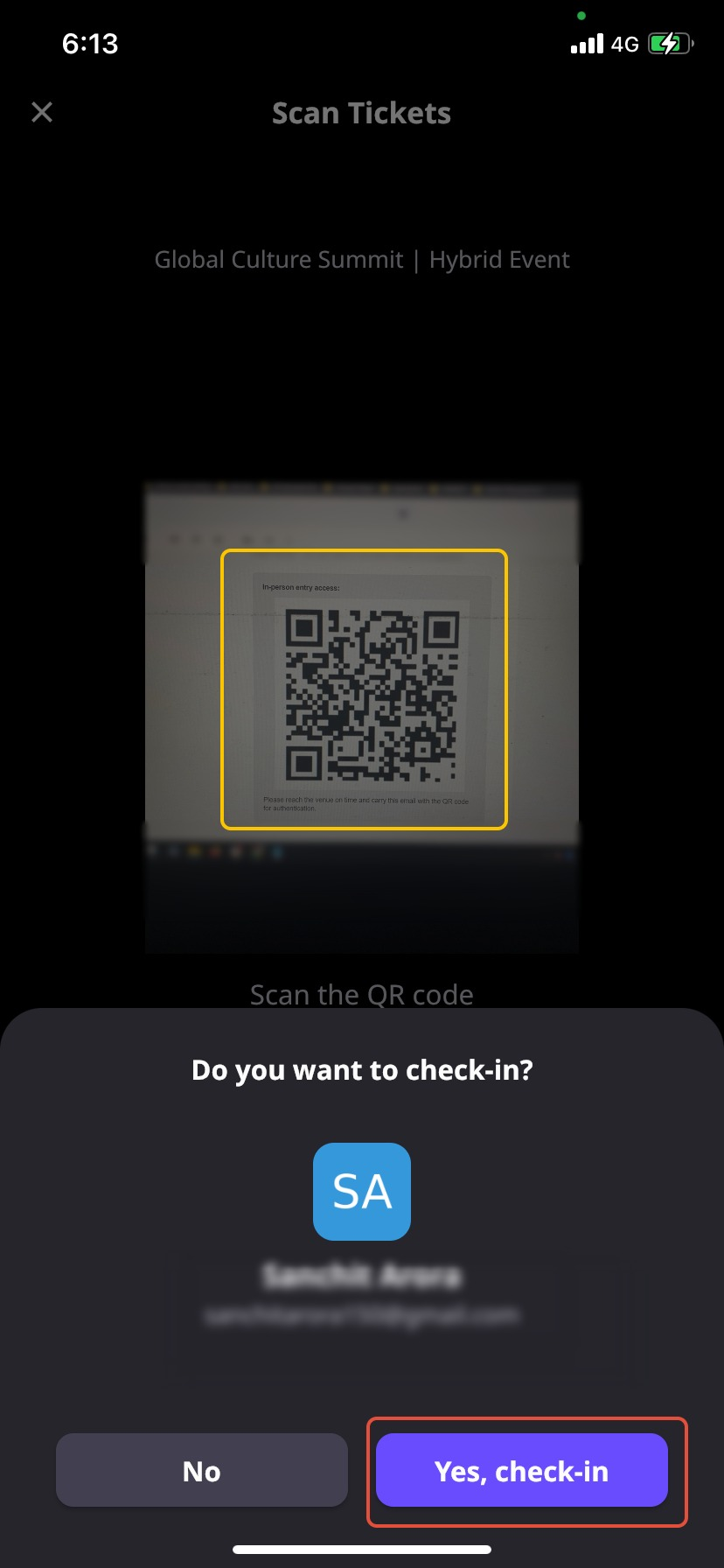
Read more : Organizer guide to check-in in-person participants.
6. Reset Check-in ⚡
Reset attendee check-ins for hybrid events
Organizers can reset check-ins completed by the organizer, making it easier to handle the multi-days events check-in and analyze the attendance.
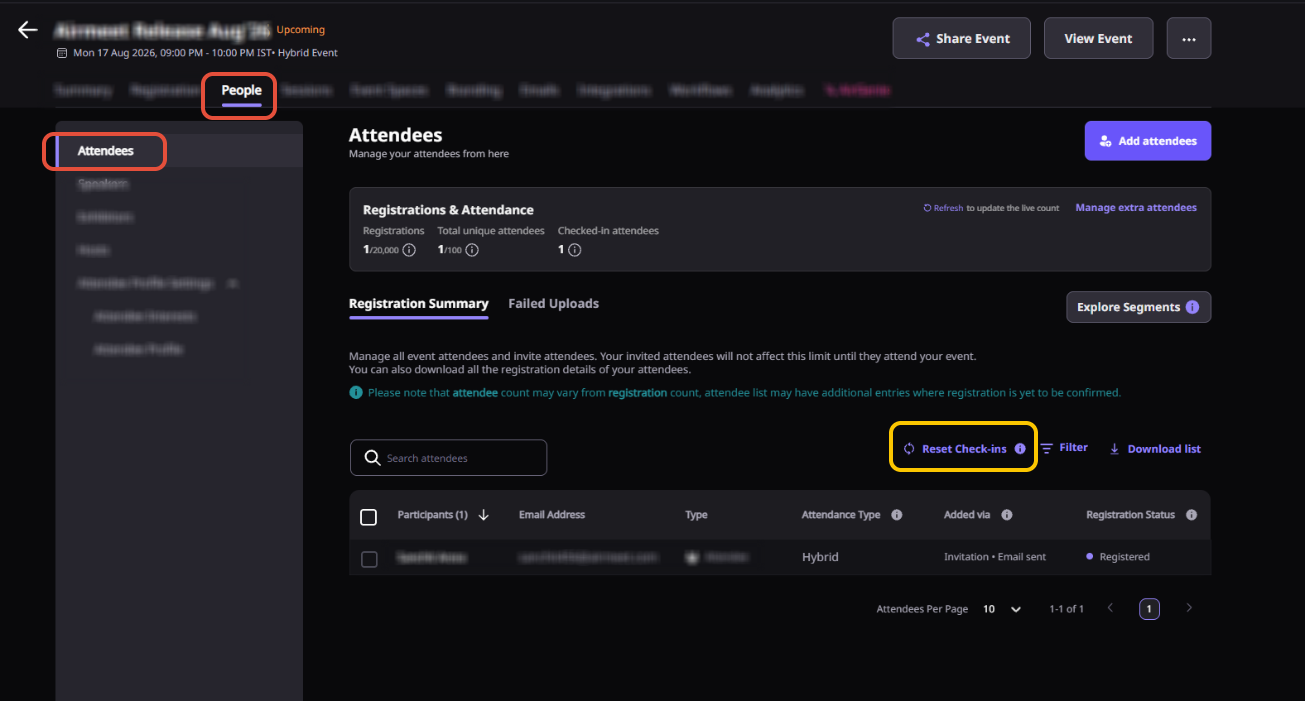
Read more: How to Reset Attendee Check-ins for a Hybrid/In-Person Event?
7. Airmeet + Airshots AI ✨
Turn your event recordings into AI-powered clips
Send Airmeet session recordings directly to Airshots AI to automatically generate engaging short-form clips. Identify key moments, customize clips in the editor, and repurpose event content for social media and marketing.
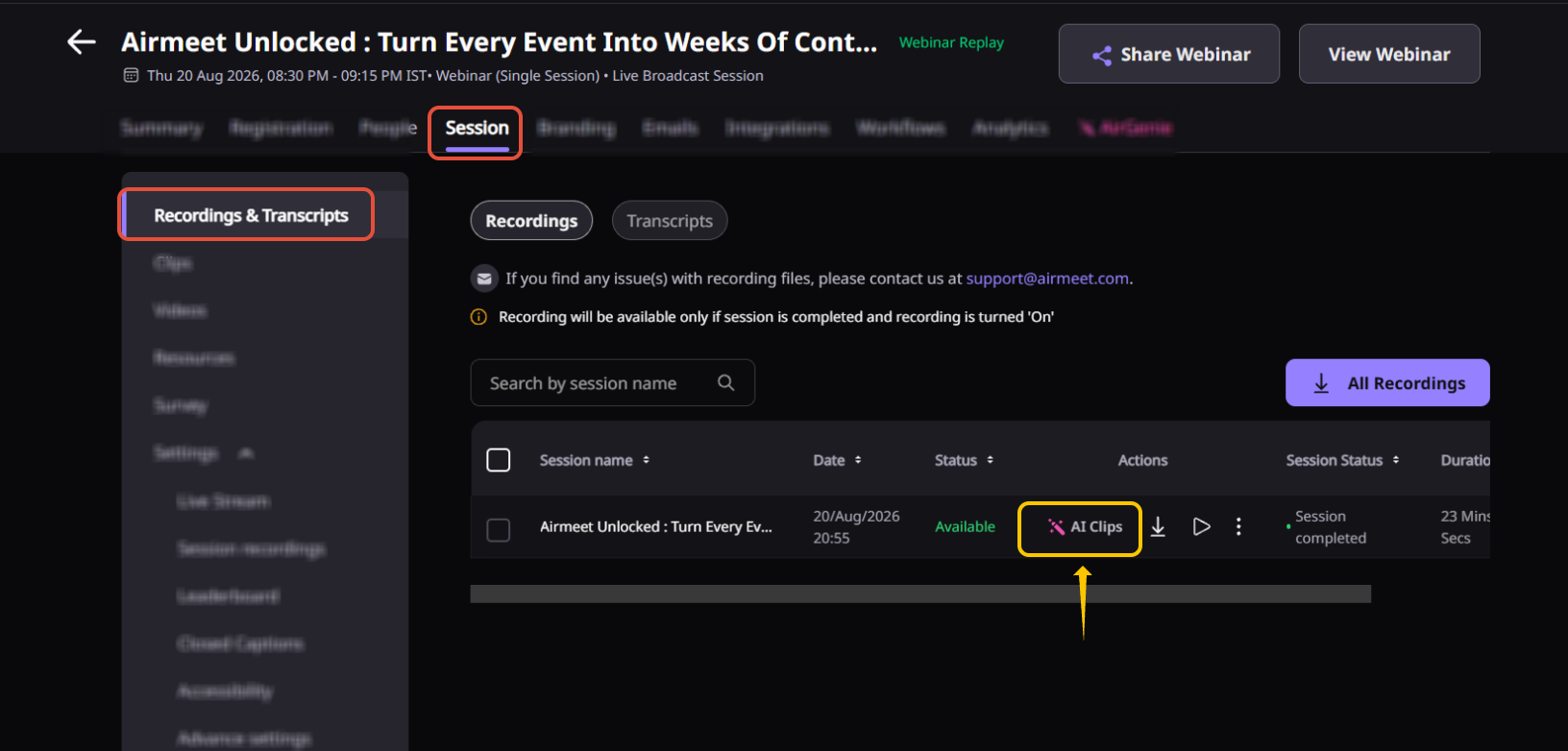
Read more: How to connect Airshots AI with Airmeet
Need more help? Contact support@airmeet.com or visit our Customer Support Lounge.
Was this article helpful?
That’s Great!
Thank you for your feedback
Sorry! We couldn't be helpful
Thank you for your feedback
Feedback sent
We appreciate your effort and will try to fix the article